May 162012
 
openoffice-org-3-4-0-latest-news

Latest News: Finally Openoffice has released the long awaited stable version 3.4.0. You also have a choice of downloading LibreOffice which is designed in a very similar format to OpenOffice org.

OpenOffice.org 3.3.0 has been released. It is an open source office package just like Microsoft Office. The huge differences between both are the price tag. OpenOffice.org is free and Microsoft Office cost you an amount of dollars. You can’t compare both packages as Microsoft has a great reputation with it’s office package but if you can’t afford to spend the money buying Microsoft Office then I suggest that you try OpenOffice.org, you have noting to loose.

Just click OpenOffice.org if you wish to download the package. Also it is developed in many languages, so I am sure you can find it in your language. Best of all it can be used entirely free of any licence fees. OpenOffice.org is released under the LGPL licence. This means you may use it for any purpose – domestic, commercial, educational, public administration.

Another interesting factor is that you can also download the package in portable format from portableapps.com. If you have any questions in regards to OpenOffice.org, simply leave a comment here.

May 142012
 
joomla-backup-and-restore

This tutorial teaches you how to backup and restore joomla using Akeeba Backup. Akeeba backup is one of the best software to backup your joomla installation. I have used it for a few years now without a problem and I always recommend it to everyone that runs Joomla and would like to use a free backup software. I can tell you that it has saved my site many times.

Hint: Click on an image to see a larger size

First download Akeeba Backup and install it as you would normally install a module or component. Login to joomla as the administrator and upload the zipped file you downloaded above and configure it according to your requirements.

Hint: It is recommended to use jpa compression format. Have a read about the difference between zip and jpa format from Akeeba Backup user guide online

Once you have configured Akeeba backup click on Components >> Akeeba Backup and then click on Backup Now. See images below:

Step 1) Click on Akeeba Backup

Akeeba backup now

Step 2) Click on Backup Now

Click backup now

Step 3) Click Backup Now! and you can enter some description.

akeeba backup and enter description

Step 4) View the backup in process

Important: Do not brows to another page while you are in backup mode unless you see an error

Akeeba backup process

Step 5) Administer your backup file

Ckeck completed backup akeeba

 Step 6) View the file details including the size and you can download the file.

Hint: I prefer to use FTP to download any files from the server

Akeeba backup completed and option to download

Backing up is very simple as you can see from the instructions above.

In the following steps you will learn how to restore your website to the same server:

Step 1) Unzipped the file you downloaded in Step 6) using akeeba extract wizard above and zip the content in a format that your server can read i.e. .zip format. Hint: Only use akeeba extract wizard if you zipped your file in jpa format.

Step 2) Log into your server and delete your old website files from the root of your site 

Important: Delete only joomla files and joomla folders, no other files. You can keep a copy of .htacess but rename it to something like htacess.txt and after the success of the installation make sure that you rename it back to .htaccess only if the zipped .htaccess is corrupted for some unknown issue.

Step 3) Upload the zipped file to your server and unpack the content to the root of your website where you deleted the joomla folders and files

Step 4) After unpacking make sure that all the folders and files are there or else you will get errors when you start the installation process

Step 5) Now open your web browser and type the URL of your website i.e. http://www.example.com/installation/index.php click enter on your key board and follow the onscreen instructions.

Important: Make sure you select to remove the installation directory automatically. See images below:

Remove the installation directory akeeba backup

Installation directory deleted, click OK

Installation directory deleted Akeeba backup

 Step 6) That’s it, your joomla website should be up and running. It is as simple as that :)

TIP: Make sure that you have access to your password and database name which you documented when you installed joomla for the first time and kept in a safe place. This is very important just in case something goes wrong and you need to add the username and password.

I Hope these instructions can assist you, if you have any questions send me an e-mail or post a message here.

Good luck ;)

May 102012
 
latest-common-applications-tools-and-utilities

Great News LibreOffice has a new release…….:)

This is a list of the latest common applications, tools and utilities most widely used. The latest version will be highlighted in RED.

The programs, tools or utilities below are either freeware, open source and some have commercial features that can be purchased i.e Skype and iTunes.

Web Browsers:

Web browsers has been moved to the following link web browsers.

Chat:

  • Skype: Install Skype, add your friends as contacts, then call, video call and instant message with them for free. Call people who aren’t on Skype too, at really low rates……..Latest Version 5.9.0.115
  • Yahoo! Messenger: Yahoo Messenger has come a long way with the latest updates. Yahoo has started to listen to the community and implemented some great new features…… Latest Version 11.5.0.192

Messaging:

  • IncrediMail: IncrediMail is a free email software that allows you to enjoy a fun and exciting email application offering new ways to compose, send and receive email. …Latest Version 5175

Image Editors:

  • Picasa: Google’s powerful Picasa is a software that allows you to edit, organise and share your photos on the internet…… Latest Version 3.9 Build 135.93
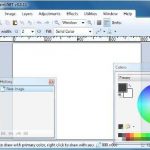
  • Paint.NET: Paint.NET is free image and photo editing software for computers that run Windows. Don’t underestimate this little germ. Even though it is very small in size it still has some very powerful features that will impress you…….Latest Version 3.5.10
  • The Gimp: GIMP is the GNU Image Manipulation Program. Like the above software is even more powerful. You could say it is a rivalry to photoshop but with NO price tag. Yes that is correct it is an open source software maintaing by a great community that releases updates on a regular basis. You will be impressed once you get around the understanding of where all the tools are. You will get to love this great FREE software. Gimp is used for such tasks as photo retouching, image composition and image authoring. It works on many operating systems, in many languages. …Latest Version Gimp 2.8 ……have a look at what’s new in Gimp 2.8  check out my gimp tutorial

Media Players:

  • VLC Media Player: VLC is a free and open source cross-platform multimedia player and framework that plays most multimedia files as well as DVD, Audio CD, VCD, and various streaming protocols…….Latest Version 2.0.1
  • iTunes: iTunes is a free application for Mac and PC. It plays all your digital music and video. It syncs content to your iPod, iPhone, and Apple TV….Latest Version 10.6

Office Package:

  • LibraOffice: LibreOffice is the power-packed free, libre and open source personal productivity suite for Windows, Macintosh and GNU/Linux, that gives you six feature-rich applications for all your document production and data processing needs: Writer, Calc, Impress, Draw, Math and Base……..Latest Version LibreOffice 3.5.3 Have a look at what’s new in this release LibreOffice 3.5.3 features.

Cleaning:

  • Ccleaner: CCleaner is the number-one tool for cleaning your Windows PC. It protects your privacy online and makes your computer faster and more secure. Easy to use and a small, fast download……Latest Version 3.18.1707

If you have any request and or want me to add some tool, programs or software let me know. Keep coming back as this list will be maintained and more will be added.

Enjoy!!!